


Spilled Water on a Mechanical Keyboard? What to Do First
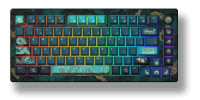
A keyboard may continue working immediately after a spill, then fail hours or days later. That delay can create false confidence. The visible liquid is only part of the problem: moisture may reach the PCB, hot-swap sockets, connectors, LEDs, or battery, while sugar and minerals can remain after the surface looks dry.
The safest response is not to keep testing the keys. It is to remove power, limit the spread, and decide whether the keyboard can be cleaned safely.
First Priority: Remove Every Power Source
- Unplug the USB cable immediately.
- Turn off wireless mode.
- Disconnect the battery only if the keyboard can be opened safely and doing so will not create another hazard.
- Remove nearby receivers, cables, and other powered accessories.
- Do not reconnect the keyboard simply to see whether it still works.
Liquid damage is more likely to become electrical damage while the circuit is powered. Conductive contamination can create unintended current paths, short circuits, or electrochemical corrosion. A wireless keyboard may remain powered even after its USB cable is removed, which is why switching it off or disconnecting the battery matters.
If the battery is swollen, hot, punctured, hissing, or giving off an unusual smell, stop handling the keyboard and move away from flammable materials. Follow local battery safety and disposal guidance.
Drain and Blot Without Spreading the Liquid
After disconnecting power, move the keyboard away from the rest of the desk. Keep liquid from entering additional openings as you reposition it. Blot the outside with an absorbent, lint-free cloth.
Do not shake the keyboard aggressively. Shaking can move liquid into connectors, under components, or across a larger area of the PCB. Avoid high heat, ovens, heat guns, and close-range hair dryers. Excessive heat can deform plastic, damage foam and adhesives, or stress the battery.
Gentle airflow can help after the keyboard has been opened and cleaned, but airflow is not a substitute for removing sticky or conductive residue.
Water, Coffee, and Soda Do Not Leave the Same Damage
Plain water is generally easier to address than a sugary or salty drink, but tap water is not residue-free. Dissolved minerals and contaminants can remain on the board after evaporation.
Coffee, soda, sports drinks, and sweetened tea are more difficult because they can leave sugar, acids, oils, salts, milk solids, or flavoring residue. That residue can:
- make switches or stabilizers feel sticky;
- interfere with metal contacts;
- promote corrosion;
- create leakage paths between PCB conductors;
- trap dust and remain conductive in humid conditions.
Why a Switch Surviving Water Does Not Prove the Keyboard Is Safe
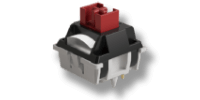
A loose mechanical switch may continue to actuate after brief immersion, especially if little liquid reaches its contact area. That test says very little about an assembled keyboard.
The complete keyboard also contains a PCB, controller, USB circuitry, hot-swap sockets or solder joints, LEDs, wireless radio components, connectors, and possibly a lithium battery. These parts have different clearances and contamination risks.
Dust-resistant switch walls or BOX-style housings may slow the entry of some debris or splashes, but they do not automatically give the keyboard a water-resistance rating. Only rely on an IP rating or water-resistance claim when the manufacturer publishes one for the complete product.
Should You Disassemble the Keyboard?
Disassembly can improve access for cleaning and drying, but it is not always the right first-time repair project. Consider professional service when:
- the spill reached a built-in battery;
- the drink contained sugar, milk, alcohol, salt, or other residue;
- the keyboard is expensive, under warranty, or difficult to open;
- corrosion, heat, odor, or discoloration is visible;
- the PCB uses delicate ribbon cables or glued components;
- you do not have the tools to disconnect the battery safely.
If you do proceed, document screw locations and cable orientation. Remove keycaps and hot-swappable switches only where the product supports it. A hot-swap socket can be damaged by excessive pulling or by inserting a switch with bent pins.
Cleaning the PCB and Switch Area
For a small plain-water spill, full drying after safe disassembly may be sufficient if no residue is visible. For contaminated liquid, drying alone leaves deposits behind.
Electronics technicians commonly use high-purity isopropyl alcohol and appropriate brushes for selected PCB cleaning tasks because it can displace water and evaporate with limited residue. However, it must be used with power disconnected, good ventilation, and awareness that it can affect some plastics, coatings, adhesives, labels, displays, and lubricants. Never apply it to a battery.
Do not pour household cleaners into the keyboard. Do not spray lubricant into switches as a substitute for cleaning. If the liquid entered closed switches, rotary encoders, displays, or a battery area, replacing the contaminated component or using professional service may be safer than attempting to flush it.
How Long Should the Keyboard Dry?
There is no universal number of hours that guarantees safety. Drying time depends on the amount of liquid, humidity, airflow, trapped spaces, foam layers, switch design, connectors, and whether the keyboard was disassembled.
The correct standard is complete dryness and removal of residue, not simply waiting overnight. Foam and silicone layers can hold moisture where it is not visible. Reconnect the battery or USB cable only when the assembly has been inspected and is fully dry.
If the keyboard behaves abnormally after reassembly, disconnect it again. Repeated power-on tests can worsen a fault.
What Matters Most
The MOST important response to a keyboard spill is immediate power removal. The next question is not whether the keys still work, but what liquid entered the keyboard and what residue it can leave behind.
Plain water, soda, coffee, and salt-containing drinks require different levels of cleanup. Drying may remove moisture, but it does not remove sugar, minerals, or corrosion products. When the spill reaches a battery or a complex PCB, professional cleaning is often less risky than repeated testing or improvised washing.