






Order Tracking
Track the Shipping
FAQ
Products, Policy and more
Contact Us
We're available to help



Join Waitlist
We will inform you when the product arrives in stock. Please leave your valid email address below
Thank you
{{ success}}
{{key}}
M1 V5 HE Barebone
€105.59
The MonsGeek M1 V5 HE Barebone (with Switches) is a premium magnetic switch keyboard designed for customizable setups. It features an upgraded scanning rate and ultra-high precision of up to 0.005 mm for lower latency and more stable rapid key triggering.
- Magnetic Switch: 8K Hz polling rate (wired USB-C) and 2.4G wireless support
- Barebone Kit: Includes switches, keycaps NOT included
- Premium Build: 75% aluminum case with gasket mount and a programmable knob
- Quick-Release: Ball catch structure for fast, tool-free assembly
- Gamer Features: Rapid Trigger, Snap Key, Toggle Key, and DKS
- RGB Lighting: Addressable RGB with 500Hz refresh rate
- Software: Supports MonsGeek V4 Driver (Win/Web)
- Note: Only supports magnetic switches. Mechanical switches are NOT compatible.
Disclaimer: This model supports customization via MonsGeek Driver only. QMK/VIA is not supported.
ADD-ONS
- Description
- Reviews
Build Your Board.
Magnetic Switches Included.
The ultimate HE barebone kit with pre-installed AstroAim switches. Pure customization meets peak gaming performance.


Why 32K Scan Rate Matters
Lower Latency for Faster Response
The higher the scan rate, the more frequently the keyboard checks switch position changes. This allows key actuations to be detected earlier and processed with greater consistency, delivering quicker feedback and achieving ultra-low input latency.
More Precise and Stable Rapid Trigger
At a 32K scan rate, even slight finger lifts are captured instantly and reliably, allowing the switch to reset with exceptional accuracy. The result is finer actuation steps, repeatable trigger behavior, and a predictable feel for high-precision input.
Optimized Architecture for 32K Scanning
To support high-speed scanning without lag, M1 V5 HE features 15 dedicated logic ICs offloading auxiliary tasks from the MCU. This re-architected framework reduces processing load, ensuring stable performance even under extreme data throughput.

Why Choose This Kit?
Explore More of Magnetic Switch Keyboard
Snap Key
Snap Key is MonsGeek's implementation of SOCD, prioritizing the most recent keypress for swift directional changes without releasing previous inputs. This ensures fluid, responsive control in FPS games, where quick reactions and precise movement are crucial.
Mod-Tap
Mod Tap is a design that provides convenience for gaming. It enables the creation of dedicated or dual-functional keys based on key press behavior. A single keypress can achieve two functions: holding down the key for one function, and pressing the key for another, improving efficiency and control.
Dynamic Keystrokes
Pressing a key can trigger four different key operations. Depending on your keypress force: a light press triggers action 1, a deeper press activates action 2, and releasing the key also supports a two-stage key setting. This multi-stage input design enhances key more flexible control.
Toggle Key (TGL)
TGL, or Toggle Key, transforms a key into a toggle switch. When you press this switch, you can activate one of two scenarios: either continuously hold down the key/function, or trigger the key/function multiple times at a high frequency, improving overall efficiency.
Customize with MonsGeek Driver
Unlock full control over your keyboard with customization features


Cross-Compatible Ecosystem
The M1 V5 HE Barebone supports cross-compatibility with 7 third-party downward-facing N-pole magnetic switches. Simply select the corresponding switch in the MonsGeek Driver to ensure optimal performance after installation. You can also mix and match different switches across keys for a more customized experience.

Auto-Calibration
The powerful Arm Cortex-M4 CPU delivers enhanced processing power with low energy consumption. It features automatic calibration between -20°C and 80°C, ensuring faster performance and extended battery life.

Manual Calibration
Users can manually calibrate the keyboard through the MonsGeek Driver to fix double-click issues, especially after replacing a compatible magnetic switch. This may also resolve key registration failures or unresponsive keys.

Rapid Assembly & Disassembly
Our innovative ball catch system enables a secure, tool-free quick release design. Push to lock, pull to release — ensuring professional-grade stability with effortless operation.

Tri-Mode Connectivity
Equipped with a massive 8000mAh battery. Enjoy seamless multi-device switching with consistent speed and stability.
Pairs with up to 3 devices simultaneously.
Gaming-grade speed with included receiver.
Charge while playing with zero latency.

M1 V5 HE Specifications
| Specification | Details |
|---|---|
| Product Preview | 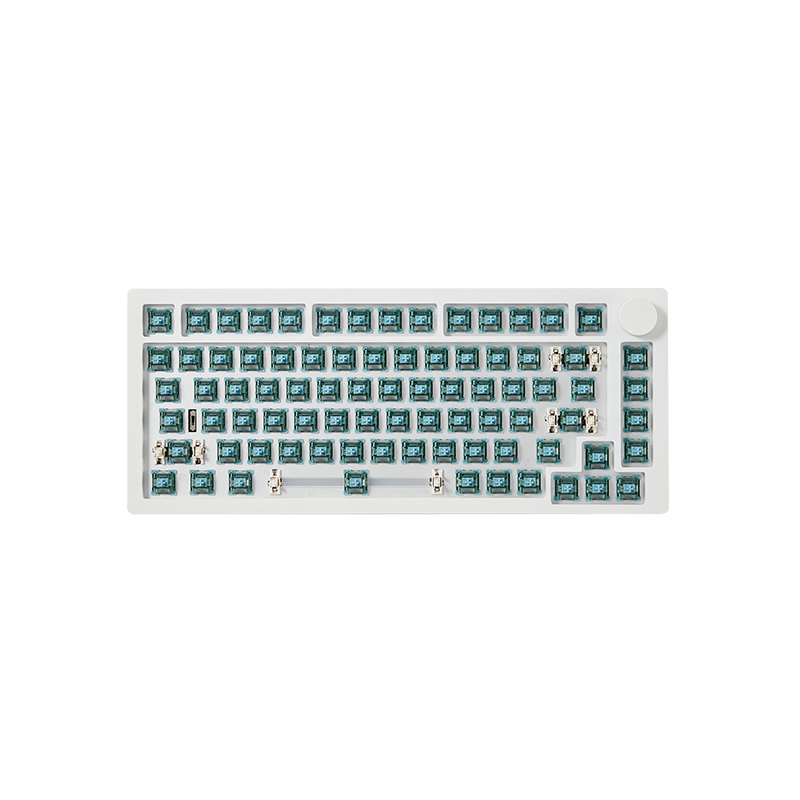 |
| Sensor Technology | Hall Effect (HE) |
| Scanning Rate | 32,000Hz (32K) |
| RT Precision | Adjustable to 0.005mm |
| MagMech Supported | No |
| Mechanical Switches Compatible | No |
| Plate Material | Aluminum |
| Switch Pad | Tape Mod + PET (tape may be not cut-out) |
| Case Foam | Poron (attached to the PCB) |
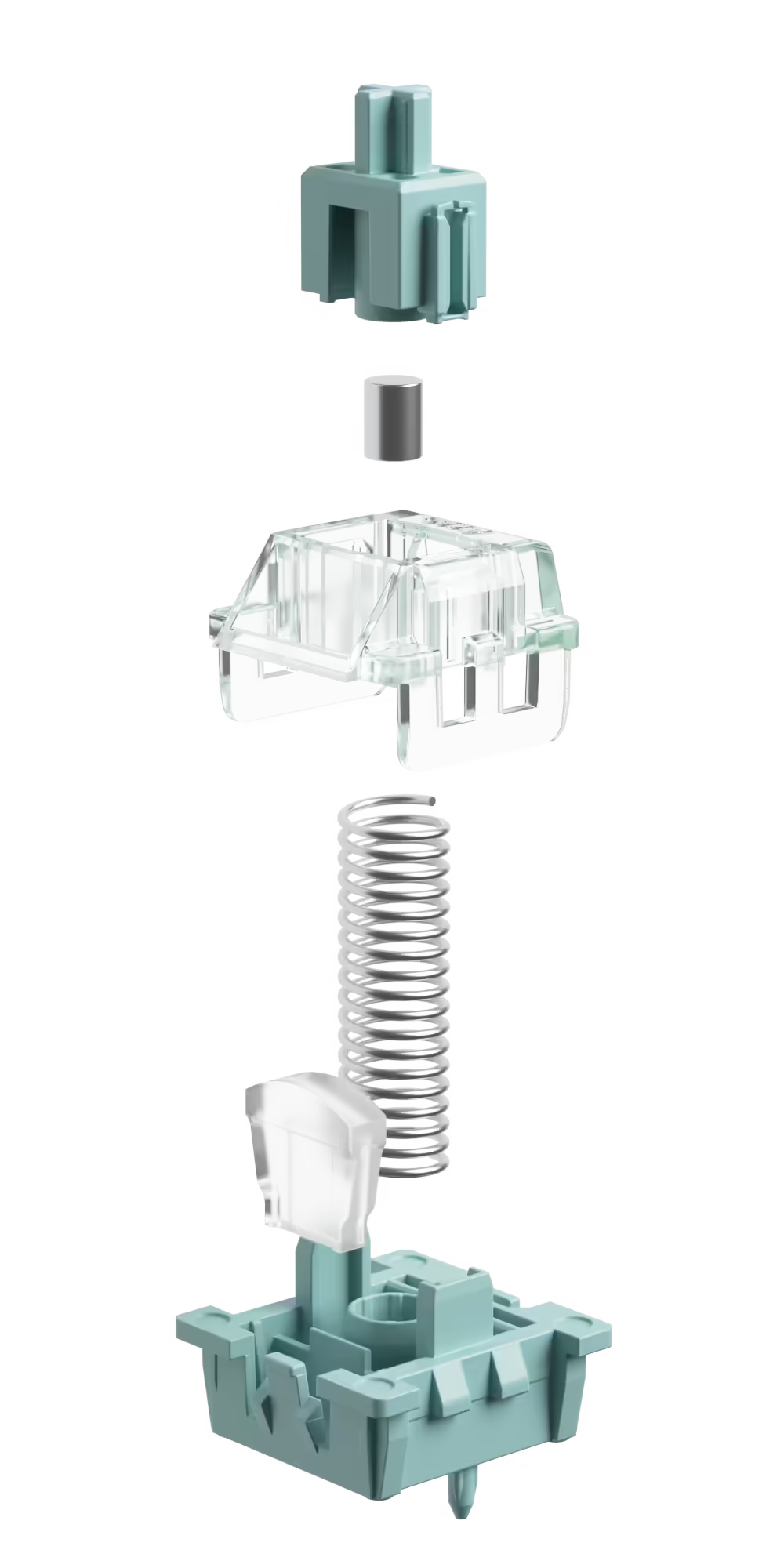
AstroAim Switches
REVIEWS
Be the first one to write a review
Only logged in customers who have purchased this product may leave a review.
Add-ons
Shopping for someone else but not sure what to give them? Give them the gift of choice with a Akko gift card.
Be the first one to write a review
Only logged in customers who have purchased this product may leave a review.